Doing CSV Import
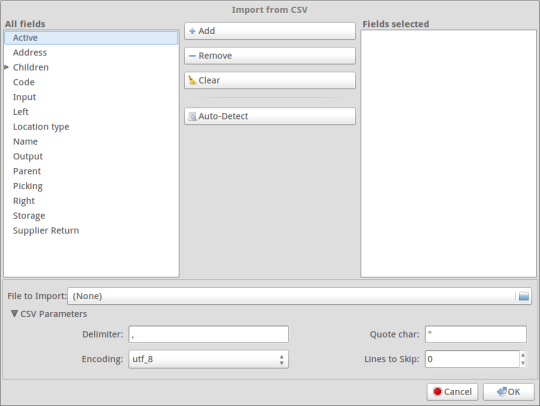
So this is the view I am trying to replicate on Sao.
As per the plan, this week’s goals were to get familiar with the source code of Sao and Tryton in order to figure out how to make the views and plugin in the code for import/export functionality.
This would be the only way to understand how Sao works as there isn’t much documentation on it. However, doc.tryton.org provides some basic insight into what are some of the things are e.g. Window and Form views.
I will be using http://github.com/prayashm/sao to get my work reviewed before submitting it to rietveld codereview.
About making the views, I read through the code for same in tryton client and added the corresponding elements into sao which uses bootstrap. I am a bit stuck at making the tree views work for the All Fields section and CSV Parameters section. Looking into it.
While writing this I realise I might not be the best choice for a blogger :) Have to try harder next time. If you happen to drop by this post, do comment on what you wanna read. Till then, happy coding.